
Consumers can book LPG cylinder refills without standing in long queues using WhatsApp, missed calls, IVRS systems and mobile apps offered by Indane, HP Gas and Bharat Gas. Here are the official numbers and booking methods explained
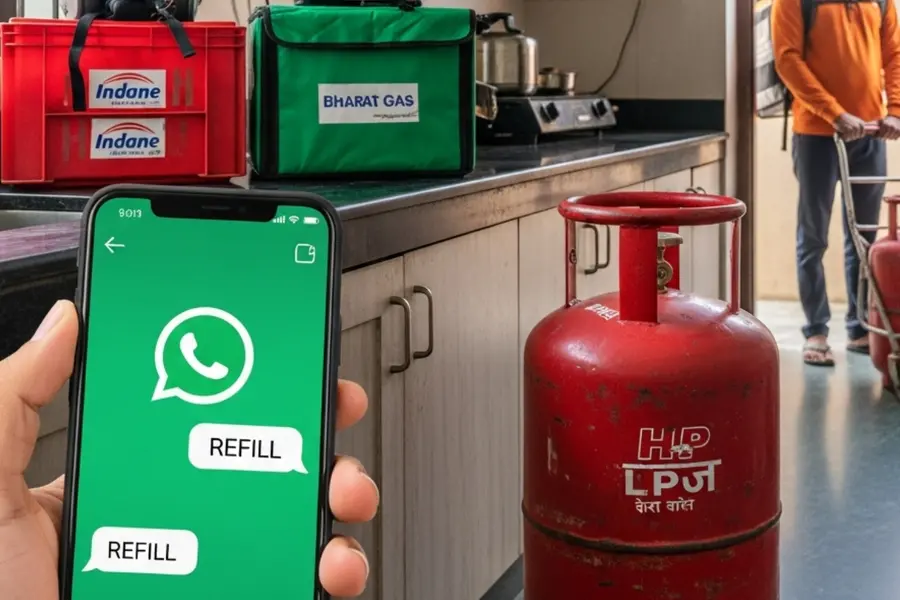
With reports of LPG supply constraints in cities such as Delhi, Mumbai and Bengaluru, many consumers have been seen waiting in long queues to refill cooking gas cylinders. However, distributors including Indane, HP Gas and Bharat Gas provide several convenient booking options that allow customers to place refill requests from home using WhatsApp, missed calls, IVRS systems, mobile apps and online platforms.
These options are designed to simplify the process and reduce the need for customers to physically visit distributors or stand in queues.
Also Read

How can Indane customers book an LPG cylinder?
Customers of Indane Gas can book a refill through multiple channels including WhatsApp, SMS, IVRS calls, missed call services, mobile applications and online portals.
WhatsApp booking:
To book through WhatsApp, customers must first save the official Indane booking number 7588888824 on their phone. From their registered mobile number, they can open WhatsApp, start a chat with the saved number and send the message “REFILL.”
Once the system verifies the customer’s details, the refill request is placed and a confirmation message is usually sent with the booking details.
Other booking options:
- Indane customers can also book refills through:
- SMS or IVRS services
- Missed call refill booking
- The Indane mobile application
- Online platforms
- For emergencies related to LPG safety, Indane also provides a 24-hour LPG emergency helpline number: 1906.
The company additionally offers digital services such as preferred delivery time, online portability of connections and the Sahaj platform for online payments and new connections.
How can HP Gas customers book a refill?
HP Gas customers also have several ways to book LPG refills, including IVRS, missed calls, WhatsApp messages, mobile apps and online payment platforms.
- IVRS booking:
Customers can dial 88888 23456 from their registered mobile number to book a refill through the automated IVRS system.
- Missed call booking:
They can also place a refill request by giving a missed call to 94936 02222 from their registered number.
- WhatsApp booking:
HP Gas allows bookings through WhatsApp by sending a “Hi” message to 92222 01122 from the registered mobile number. The automated system then guides users through the booking process.
- Other booking methods:
Refills can also be booked through:
- HP Pay mobile app
- UMANG app
- Official website myhpgas.in
- Digital payment platforms such as Amazon Pay, Paytm and PhonePe under the bill payment section
- Local HP Gas distributors or customer service centres
How do Bharat Gas customers book LPG refills?
Bharat Gas customers can book refills mainly through the Bharatgas mobile application, available for both Android and iPhone users.
To use the service, customers must first download the app from the Google Play Store or Apple App Store by searching for “Bharatgas.”
After installation:
- Open the app and select the Activate option.
- Enter the registered mobile number linked to the LPG consumer ID.
- An activation code will be sent via SMS.
- Enter the code in the app to complete the activation process.
- This activation is a one-time step. Once activated, users can use the app to:
- Book LPG refill cylinders
- Make online payments
- Check refill history
- Register complaints
- Access other customer services
Why are digital LPG booking options important now?
With supply concerns leading to visible queues in some cities, digital booking options help consumers avoid waiting at distribution centres. These systems allow customers to place refill orders quickly through mobile phones and receive delivery at home once the booking is confirmed.
Oil marketing companies continue to encourage customers to use these digital and phone-based services to ensure smoother access to LPG refills during periods of high demand.
Published: 14 Mar 2026, 10:20 am IST
Related Topics
Disclaimer: Kindly avoid objectionable, derogatory, unlawful and lewd comments, while responding to reports. Such comments are punishable under cyber laws. Please keep away from personal attacks. The opinions expressed here are the personal opinions of readers and not that of Mathrubhumi.