
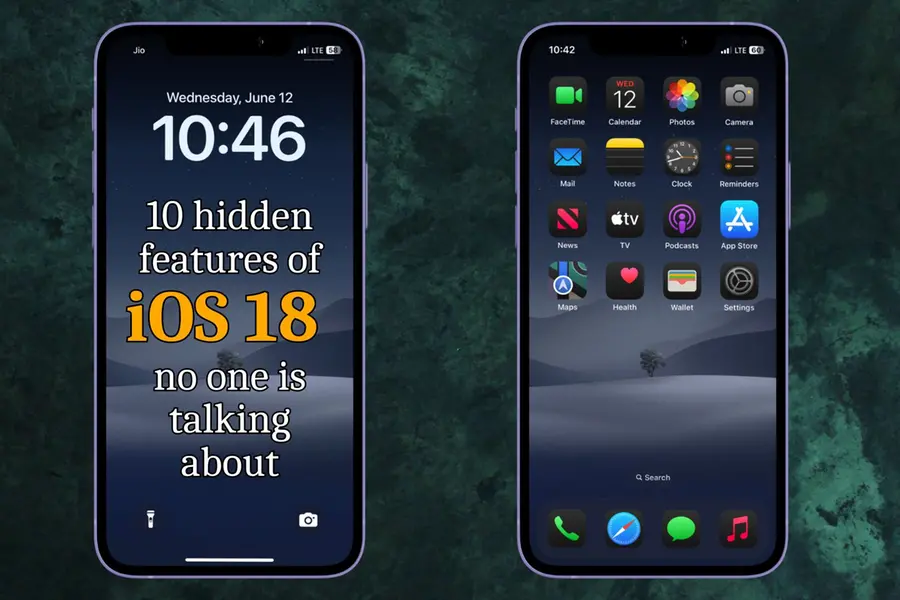
iOS 18 has brought a plethora of new features, but some of its best capabilities remain under the radar. This article will explore ten lesser-known features of iOS 18 that enhance user experience in unique and subtle ways. From UI enhancements to functional upgrades, these hidden gems are sure to impress even the most seasoned iPhone users.
Volume and power button side effect
iOS 18 introduces a subtle yet visually appealing user interface enhancement. When you press the volume up or down buttons or the power button, a small bulge appears momentarily on the side of the screen. This feature adds a tactile feedback element, making the device feel more responsive and interactive.
Improved calendar and reminder integration

Managing your schedule just got easier with the seamless integration of reminders and calendar events. Dates on reminders are now automatically added to the calendar. Conversely, when you add a reminder on a specific date, it gets updated in the calendar as well. This synchronisation eliminates the need for manual updates and ensures that your schedule is always up-to-date.
Hide apps easily
Privacy has taken a step forward with the new option to hide apps on your home screen. Just long press on the app and you get the option to hide it. You can choose from two options- you can choose to either hide it with Face ID or just use Face ID to lock the app. All hidden apps are stored in a new ‘Hidden Apps’ folder within the App Library, ensuring that your home screen remains uncluttered.
Adjustable control center icons
Customization is key with iOS 18, especially in the Control Center. Users can now adjust the size of the icons in the Control Center, allowing for a more personalized and user-friendly interface.
Streamlined settings menu
The settings menu has undergone a major overhaul. Previously, the apps list was cluttered at the bottom of the menu. Now, all apps are listed under a dedicated section ‘Apps,’ similar to Android’s settings structure. This reorganization makes navigating settings more intuitive and less time-consuming.
Expanded action button options
Exclusive to iPhone 15 Pro and Pro Max users, the Action button now offers a variety of customisation options. Users can select from a plethora of actions for the new action button, enhancing the device's functionality based on individual preferences.
Enhanced photos app
The Photos app has received a significant upgrade, featuring a recognisable grid layout and thematic collections that make exploring photos easier. Users can pin collections for quick access, and a new carousel view adds to the visual appeal. These updates make managing and viewing photos a more enjoyable experience.
Customizable widgets
Widgets have become more versatile and functional in iOS 18. Users can now long-press on certain apps to convert them into widgets directly on the home screen. These widgets can provide real-time updates, additionally, new widgets that monitor vitals have been introduced, enhancing the functionality of the home screen.
Charging limit feature
Worrying about battery health is a thing of the past with the new charging limit feature. Users can set a charging limit between 80-100%, ensuring that the iPhone stops charging once it reaches the specified battery level. This helps prolong battery life and adds a layer of safety when charging overnight.
Dial by name
With the release of iOS 18, Apple has introduced a convenient feature that allows users to call contacts directly by typing their names on the dial pad. This feature, already familiar to many Android users, aims to streamline the calling process on iPhones.
Wi-Fi and AirDrop button separation still missing
Despite many new additions, iOS 18 has yet to separate the Wi-Fi and AirDrop buttons in the Control Center. Users have long requested this change for easier and more intuitive connectivity management, but it remains absent in this update.
The new iOS update will be available for users in September or as Apple loves to call it- ‘This Fall.’ However, the updates will be available to users who use iPhone XR and above.
These hidden features of iOS 18 demonstrate Apple's commitment to enhancing user experience through subtle but impactful changes. Whether it’s through improved customisation, better integration, or enhanced functionality, iOS 18 offers a range of updates that make everyday tasks more efficient and enjoyable.
Published: 12 Jun 2024, 11:12 am IST
Related Topics
Disclaimer: Kindly avoid objectionable, derogatory, unlawful and lewd comments, while responding to reports. Such comments are punishable under cyber laws. Please keep away from personal attacks. The opinions expressed here are the personal opinions of readers and not that of Mathrubhumi.