
The Election Commission has released West Bengal’s final voter list under SIR 2026. Here’s a step-by-step guide to check your name online and what to do if it’s missing.
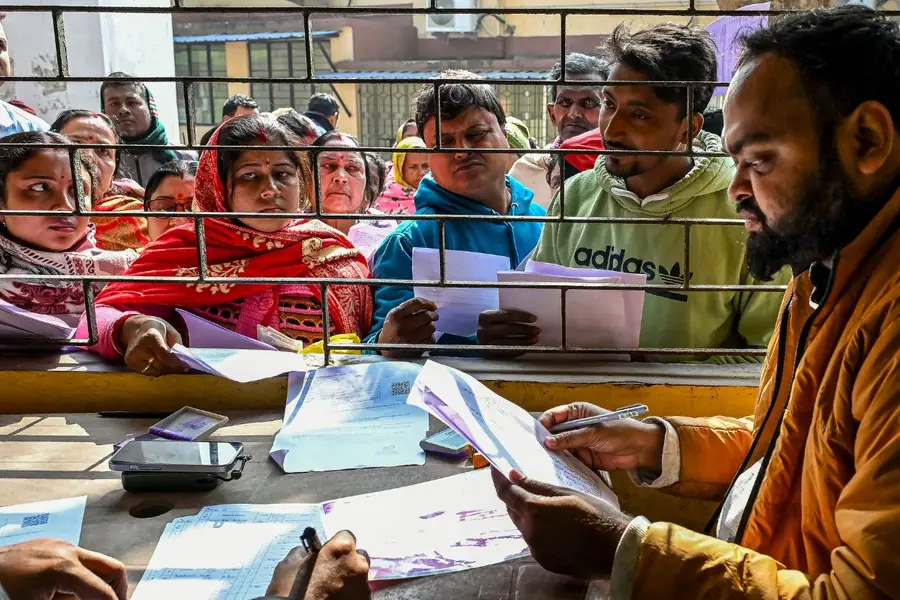
Kolkata: The final electoral roll for West Bengal under the Special Intensive Revision (SIR) 2026 is now out on Saturday, February 28, with the Election Commission of India publicly releasing the clean and updated voters’ list ahead of the upcoming 2026 Assembly elections.
The final voter list was printed and made available from around 2 pm today, and includes key updates following the completion of the intensive verification process spearheaded by the poll body.
This year’s SIR, a more robust version of routine electoral roll updating, was conducted to ensure that only eligible voters remain registered, removing duplicate entries, people who have migrated or passed away, and correcting other discrepancies.
The draft list, which began as a preliminary roll in December 2025, saw tens of millions of names reviewed, with roughly 58 lakh names deleted in the draft phase for various reasons such as absence, relocation, death, or duplication.
What SIR 2.0 means for West Bengal voters
The term Special Intensive Revision (SIR) refers to a comprehensive electoral roll revision exercise that goes well beyond routine updates.
It involves house-to-house enumeration, detailed verification, and public hearings to ensure accuracy in the voter database. SIR processes are carried out only occasionally, with the last nationwide revision before this one held more than two decades ago.
In West Bengal, the SIR exercise became a focal point of legal and administrative discussion, including directions from the Supreme Court for improved oversight and deployment of serving and former district judges to assist in the verification process.
How to check your name online: Step by step
To confirm whether your name appears in the final voter list for West Bengal SIR 2026, voters can follow these straightforward online steps:
- Visit the official Election Commission portal — go to the Voters’ Services Portal at voters.eci.gov.in.
- On the homepage, find and click the “Download Electoral Roll” under the Services section.
- A new page will open where you must choose your State (West Bengal), Revision Year (2026), and Roll Type (SIR Final Roll 2026).
- Select your District and Assembly Constituency from the dropdown menus.
- Enter the captcha code shown on the screen to proceed.
- Pick your polling station from the list provided.
- Finally, click “Download Selected PDFs” to access the voter list for your area.
Alternatively, voters can also use the ECINET app to search their names, visit the Chief Electoral Officer of West Bengal’s website, or contact their Booth Level Officer (BLO) for assistance.
What to do if your name is missing
If your name does not appear in the final list, don’t panic. In many cases, you may be able to file a claim or objection through the ECI portal or with your local BLO before or shortly after publication. This helps ensure your voter registration is corrected in time for the election.
By following these simple steps, every eligible voter can verify their inclusion in the updated electoral rolls and ensure they are ready to cast their vote in West Bengal’s upcoming election.
Published: 28 Feb 2026, 07:26 am IST
Related Topics
Disclaimer: Kindly avoid objectionable, derogatory, unlawful and lewd comments, while responding to reports. Such comments are punishable under cyber laws. Please keep away from personal attacks. The opinions expressed here are the personal opinions of readers and not that of Mathrubhumi.
