
The 80s AI photo trend had its moment. Now you can bring back filters, chokers, phone-camera flash and slightly chaotic Instagram photos of 2016
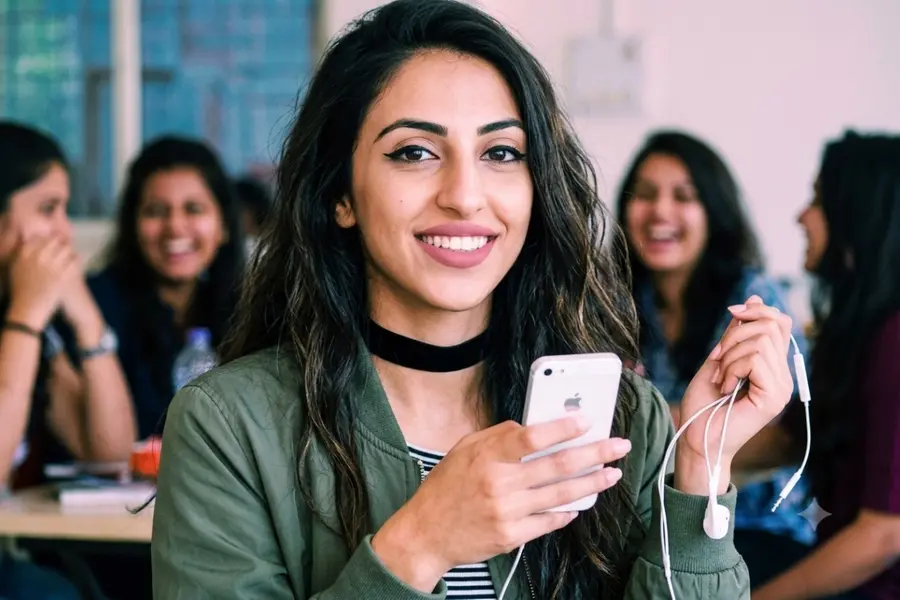
The 80s AI photo trend had everyone imagining themselves as retro Bollywood stars, complete with big hair, dramatic saris and vintage-film vibes. But if you have already had your 80s moment, there is also another era the internet is romanticising: 2016.
The “2026 is the new 2016” trend has brought back memories of the era's Instagram filters, Snapchat selfies, chokers, messy hair, bold makeup and slightly overexposed smartphone photographs.
Also Read

Read more: Viral 80s AI trend: How to turn your photo into a 1980s look with ChatGPT; step by step
How to turn your photo into a 2016-style picture
Step 1: Pick the right photo
Start with a clear portrait or casual photograph.
For the most convincing result, choose something with a relaxed pose rather than a heavily posed professional photograph.
Step 2: Upload it to your AI image generator
Upload the photograph to your preferred AI image-generation or editing tool.
Step 3: Use this prompt
Copy and paste:
Transform this uploaded photograph into a realistic personal photograph that looks like it was genuinely taken in 2016 for an Instagram post. Preserve the person's identity, facial features, skin tone, face shape and natural appearance. Recreate the authentic mid-2010s Instagram aesthetic: slightly oversaturated colours, low phone quality, mild digital grain, imperfect exposure, casual framing and slightly filtered finish like pinkish blueish that was common at the time. Give the person a believable 2016 hairstyle, makeup and outfit without making the styling look like a costume. Keep the pose relaxed and spontaneous. Place them in an ordinary 2016 setting such as a bedroom, café, college campus, shopping centre, street or house party. Give chokers, bomber jackets, denim, oversized sunglasses, winged eyeliner, matte lipstick, messy waves, casual streetwear, wired headphones. Avoid modern smartphones, current fashion, contemporary interiors, futuristic details and overly polished photography. The final image should feel like an authentic photograph someone took on their phone and posted to Instagram in 2016.
For Indian touch, use this in your prompt:
Give the photograph a believable Indian 2016 social-media aesthetic, with contemporary Indian fashion and a realistic setting such as a café, college campus, shopping mall, bedroom or city street. Keep the styling subtle and period-appropriate rather than costume-like.
Step 4: Download and share the generated image
Once you’re happy with the result, save the AI-generated image to your device. You can then share your 2016-inspired throwback on social media.
(Disclaimer: AI-generated images are for creative and entertainment purposes only. Do not misuse, manipulate or share such images to impersonate, deceive or mislead others. Obtain consent before creating or sharing images of other people)
Published: 09 Sept 2026, 04:11 pm IST
ABOUT THE AUTHOR
Disclaimer: Kindly avoid objectionable, derogatory, unlawful and lewd comments, while responding to reports. Such comments are punishable under cyber laws. Please keep away from personal attacks. The opinions expressed here are the personal opinions of readers and not that of Mathrubhumi.