
PM Modi's birthday offers an AI twist as ChatGPT users can create personalised selfies featuring themselves alongside a younger version of the Prime Minister.
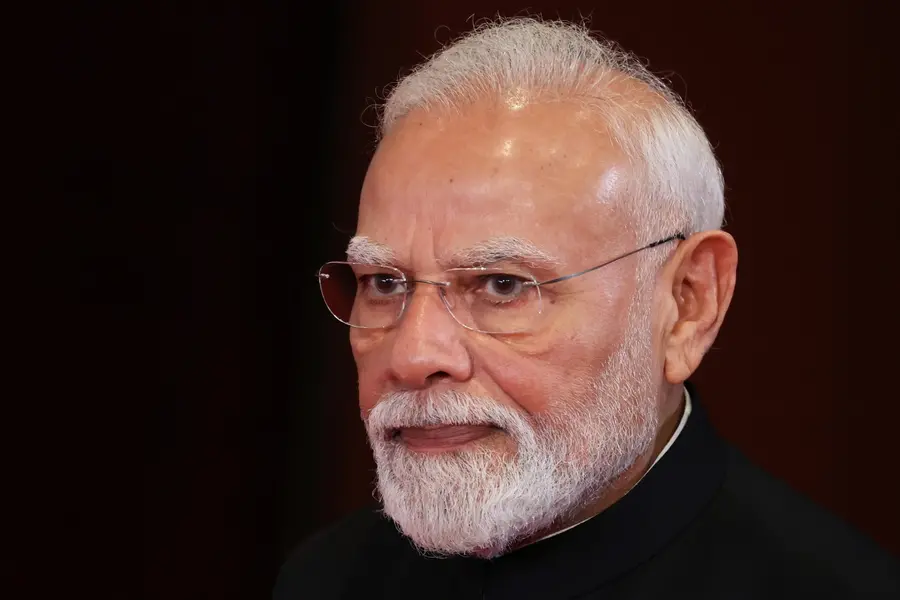
Prime Minister Narendra Modi's birthday on September 17 is likely to bring a flood of social media posts, throwback photographs and birthday wishes.
This year, however, there is another way for users to mark the occasion: by using ChatGPT to create a personalised photograph featuring themselves alongside a younger version of Modi.
With AI image-generation tools becoming increasingly popular, users can upload their own selfie to ChatGPT and use a detailed prompt to create a realistic-looking image in which they appear alongside a younger version of the Prime Minister.
The idea is simple. Users need to upload a clear photograph of themselves and then enter a prompt asking ChatGPT to retain their facial appearance while generating a younger version of Narendra Modi in the same frame.
How to create the image
Open ChatGPT and upload a clear selfie. A front-facing photograph with good lighting can help the AI retain the user's facial features more accurately.
Once the image has been uploaded, paste the following prompt:
‘Turn my uploaded selfie into a realistic photograph of me posing with a younger Narendra Modi. Keep my face and appearance exactly as they are. Recreate Narendra Modi as a younger adult while retaining his recognizable features. Make the two people appear naturally photographed together, with matching lighting, perspective, shadows, and skin tones. Use a realistic, high-resolution photographic style. No text, graphics, or watermark.’
ChatGPT can then generate an image based on the uploaded photograph and the instructions in the prompt. Users can further refine the result by asking for changes to the background, clothing, lighting, or overall photographic style.
For a more period-specific look, users can also modify the prompt and ask for a particular era or setting. For example, they can request a vintage photographic appearance, while specifying that their own face should remain unchanged.
Want a more realistic result?
The quality of the uploaded selfie can make a difference. A clear photograph where the face is not covered and is visible from a reasonably straight angle gives the image-generation tool more information to work with.
Users can also tell ChatGPT to match the lighting and perspective of both people.
This can help avoid an obvious cut-and-paste appearance and make the final image look more like a single photograph.
Another useful instruction is to explicitly ask the tool not to change the user's identity or facial characteristics.
A birthday trend with an AI twist
The prompt can be used to create a personalised birthday-themed image for September 17, when Modi turns another year older.
Instead of simply sharing an existing photograph of the Prime Minister, users can experiment with AI-generated visuals that place them in the same frame as a younger version of Modi.
The resulting image can then be shared as a birthday post, provided users make it clear that it is an AI-generated creation and not an authentic historical photograph.
As AI-generated images become increasingly realistic, clearly identifying such visuals as AI creations is particularly important when they depict public figures or historical-looking scenes.
Published: 16 Sept 2026, 07:36 pm IST
ABOUT THE AUTHOR

Related Topics
Disclaimer: Kindly avoid objectionable, derogatory, unlawful and lewd comments, while responding to reports. Such comments are punishable under cyber laws. Please keep away from personal attacks. The opinions expressed here are the personal opinions of readers and not that of Mathrubhumi.