Voter ID update: How to link mobile number with EPIC online and offline
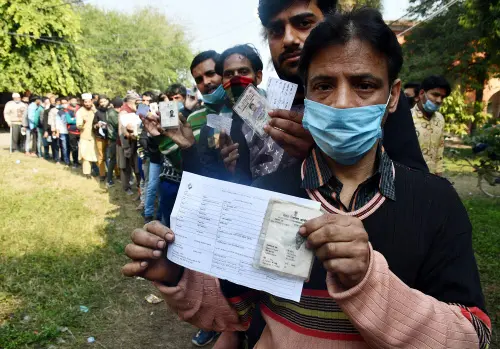
Linking your mobile number with your Voter ID (Electoral Photo Identity Card or EPIC) has become essential for accessing a range of digital voter services offered by the Election Commission of India (ECI).
The move aims to make voter information easily accessible, reduce the need for physical visits to election offices, and ensure timely updates and notifications. Here’s a simple, step-by-step guide explaining how voters can link their mobile number to their Voter ID, both online and offline.
Also read: How to book train tickets and get discounts using the new RailOne app
Once linked, voters can:
- Download their e-EPIC
- Check polling station details
- Access voter services anytime without visiting an office
Also read: Social jetlag explained: Why your Monday mornings feel terrible
Documents required
- Voter ID / EPIC number
- Active mobile number
- Aadhaar card
Link your mobile number with your voter ID online
Voters can update their mobile number by submitting Form 8 through the National Voters’ Service Portal (NVSP) or the Voter Helpline App.
- Visit the NVSP website at https://voters.eci.gov.in
- Click on “Sign Up” if you are a new user
- Enter your mobile number and email ID
- Verify both using the OTPs sent to you
- (Existing users can directly log in.)
- Log in using: Registered mobile number and password, or
- OTP-based login
- Click on “Fill Form 8”
- Choose “Correction of Entries in Existing Electoral Roll”
- This option is used to update personal and contact details.
- Select your State, District, and Assembly Constituency
- Enter your EPIC (Voter ID) number
- Verify existing details
- Your voter details will appear automatically on the screen.
- Carefully review the information
- Proceed to the Contact Details section
- Update Mobile Number
- Enter your new or active mobile number
- Email ID can also be updated
- Aadhaar details are optional
- Upload documents only if the system asks for them
- Accept the declaration
- Enter the captcha
- Click “Send OTP” and verify it
- Submit the form
- You will receive a reference number.
- Save it to track the status of your request online.
Link Mobile Number with Voter ID Offline
- Visit your local Booth Level Officer (BLO), or
- Contact the Electoral Registration Officer (ERO)
- They will assist you in linking your mobile number with your voter ID.