Elon Musk introduces Grok’s image-to-video feature: Here’s how you can create AI videos for free
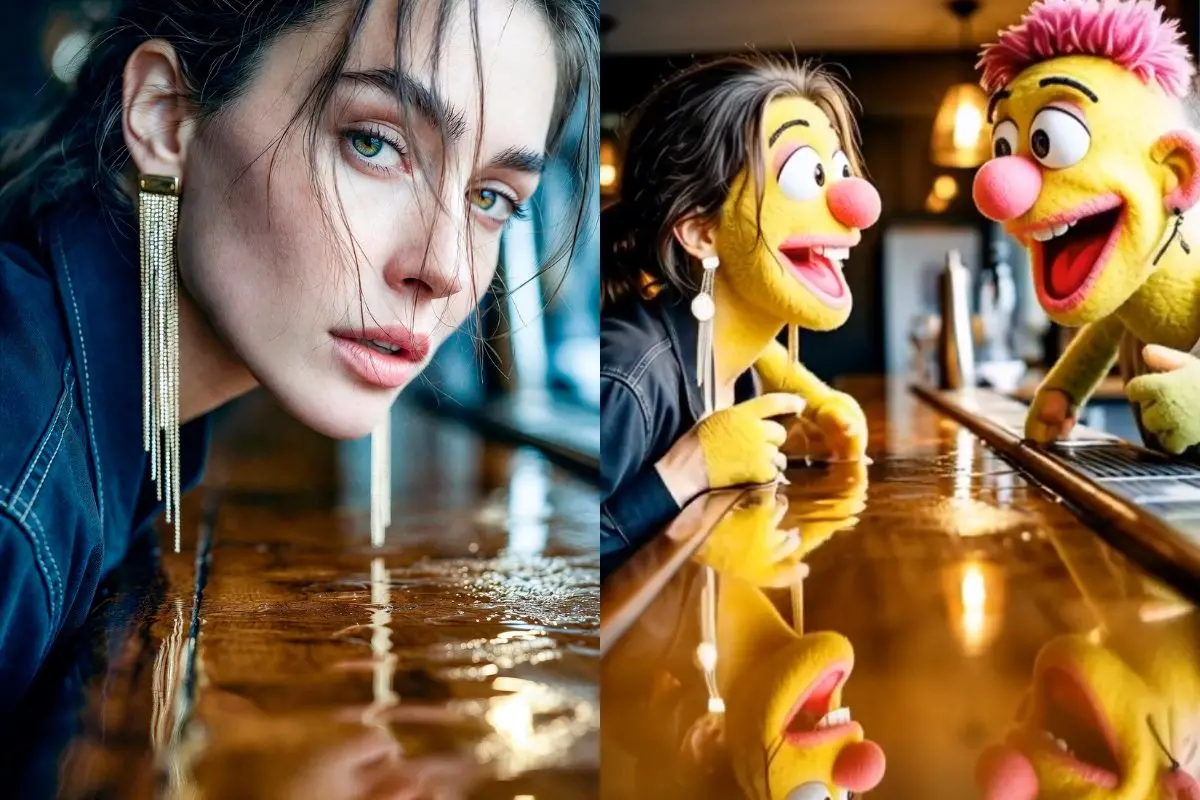
Elon Musk has announced a groundbreaking update to Grok, the AI chatbot developed by his company xAI. The latest enhancement introduces an image-to-video feature that allows users to transform still photographs into short clips with a simple long press. Demonstrating the tool on X (formerly Twitter), Musk described the technology as a seamless and creative way to create ‘whatever you can imagine’.
From photos to motion: Grok’s expanding creative capabilities
In his demonstration, Musk showcased a short video generated from an image using a prompt that creatively instructed Grok to add characters and transition them into playful forms. He wrote, “My prompt here was “add a boyfriend and they transition into muppets””. The result highlighted Grok’s understanding of imaginative cues and its ability to produce quirky, engaging animations.
Using the feature is straightforward: users can long-press on any image within Grok to activate the image-to-video tool. Within moments, Grok generates a short clip that can be previewed, saved, or directly shared on X.
How to use Grok’s image-to-video feature
The process starts by uploading or selecting an image in Grok or on X. By long-pressing the image, users can trigger the video creation mode. They can also add descriptive or creative prompts to personalise the animation, and Grok’s AI engine transforms the still photo into a video. Once the clip is complete, users can view it instantly, download it, or post it online.
New tools inside the Grok app
In the app, users can upload or select an image and click on ‘Create Videos’ option. Then users can choose from pre-made clips or create their own videos by writing prompts. Once finished, users can download or share the video, with additional tools available for upscaling and remixing content.
All the videos created so far are automatically saved in the Grok app, making it easy for users to revisit or edit them. By opening the video they want, users can view their previous videos, download them, or make new edits using updated prompts. Any changes made to existing videos are displayed as a carousel in the same post, allowing viewers to scroll through different versions.
After editing the prompt, users also get to choose from two main modes — a ‘Fun’ mode that produces humorous results, and a ‘Normal’ mode that focuses on realistic videos. The AI also performs impressively when generating videos that include characters speaking or performing short actions.
Grok’s growing creative suite
This update adds to Grok’s steadily expanding toolkit, which already includes writing support, image generation, voice mode, image editing and real-time data integration. Musk has suggested that Grok’s creative functions will continue to evolve, with even more advanced generative AI features expected in future updates.