Janmashtami 2026: 10 ChatGPT and Gemini AI prompts to turn your child’s photo into Little Krishna
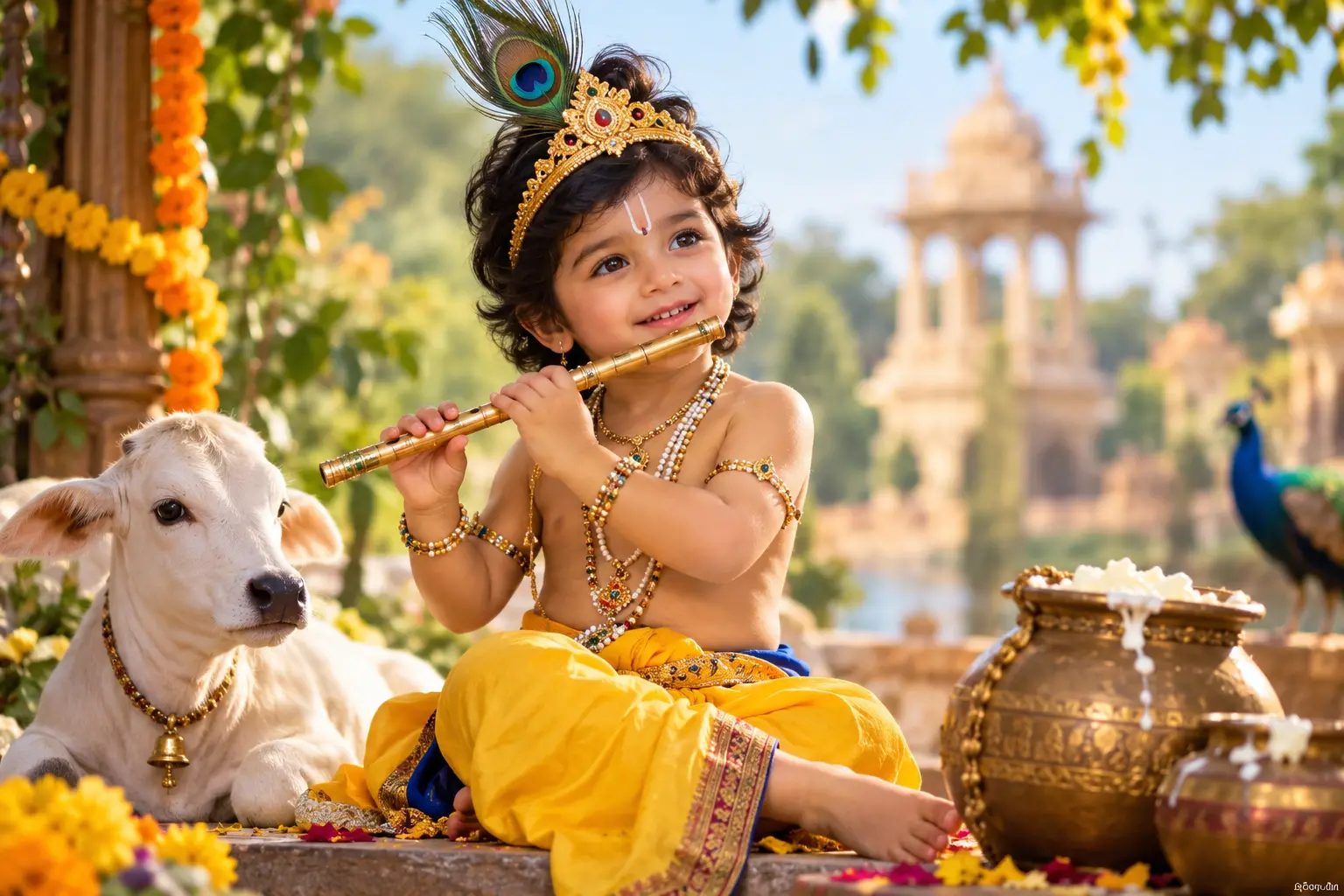
New Delhi [India], September 4: Janmashtami 2026 is being celebrated with religious fervour across India, and social media is once again filled with creative ways for devotees to mark the birth of Lord Krishna.
For parents looking to give their children's photographs a festive makeover, artificial intelligence tools such as ChatGPT and Google's Gemini can be used to create imaginative Little Krishna-themed portraits.
With a suitable prompt and a clear photograph, AI image-generation tools can transform a child's picture into a Krishna-inspired festive portrait, complete with traditional attire, peacock feathers, jewellery, temple settings and other elements associated with Bal Krishna.
Parents can upload a suitable photograph and describe the desired look in detail. To preserve the child's identity, users can also specifically instruct the AI not to alter facial features.
Here are 10 prompts that can be used with ChatGPT or Gemini to create Janmashtami-themed images:
1. Traditional Little Krishna look
'Transform this child's photo into a cute Little Krishna portrait. Keep the child's face, facial features and identity unchanged. Add a traditional yellow dhoti, peacock feather crown, delicate jewellery and a small flute. Create a warm, divine Janmashtami atmosphere with soft lighting.'
2. Krishna in Vrindavan
'Turn this child's photo into a Little Krishna-inspired portrait while keeping the face the same. Dress the child in a yellow dhoti with a peacock feather crown and flute. Place the child in a beautiful Vrindavan setting with greenery, flowers and soft golden sunlight.'
3. Cute Bal Krishna
'Create an adorable Bal Krishna version of this child. Do not change the child's face or facial identity. Add a small peacock feather mukut, yellow traditional attire, Krishna-inspired jewellery and a playful expression. Use a soft, colourful and festive background.'
4. Krishna with a matki
'Transform this child's photograph into a Janmashtami-themed Little Krishna portrait. Keep the original face unchanged. Dress the child as Bal Krishna with a peacock feather crown and yellow dhoti, and add a decorated matki filled with butter. Use a traditional Indian village backdrop.'
5. Divine Krishna portrait
'Create a cinematic and devotional Little Krishna portrait using this child's photo. Preserve the child's exact facial features. Add a peacock feather crown, traditional Krishna attire, jewellery and a flute. Use a serene temple background with soft golden light and a subtle divine glow.'
6. Radha-Krishna-inspired festive scene
'Give this child's photograph a beautiful Janmashtami makeover while keeping the face unchanged. Style the child as Little Krishna in traditional attire with a peacock feather crown and flute. Create a dreamy festive setting inspired by Vrindavan, with flowers, diyas and soft pastel lighting.'
7. Krishna playing the flute
'Turn this child's photo into a realistic Little Krishna portrait. Keep the child's face and identity unchanged. Add a yellow dhoti, peacock feather mukut, traditional jewellery and a flute. Show the child peacefully playing the flute in a lush Vrindavan garden.'
8. Royal Krishna look
'Transform this child's photograph into a regal Bal Krishna portrait without changing the child's face. Add an ornate peacock feather crown, traditional jewellery, yellow silk dhoti and a flute. Create a luxurious yet devotional palace-inspired background with warm lighting.'
9. Janmashtami celebration
'Convert this child's photo into a joyful Janmashtami celebration scene. Preserve the child's original facial features. Dress the child as Little Krishna with a peacock feather crown, yellow dhoti and flute. Add flowers, diyas, colourful decorations and a festive Indian temple atmosphere.'
10. Storybook Little Krishna
'Transform this child's photo into a magical Little Krishna storybook portrait while keeping the face recognisable and unchanged. Add traditional Krishna clothing, a peacock feather crown, flute and gentle jewellery. Create a whimsical Vrindavan background with cows, flowers, trees and warm sunrise lighting.'
Tips for better AI-generated Janmashtami photos
For better results, parents should upload a clear, well-lit photograph showing the child's face. Prompts should mention specific details such as clothing, background, lighting and accessories.
Those who want the child to remain recognisable should explicitly add instructions such as 'keep the face unchanged', 'preserve facial identity' or 'do not modify facial features'.
It is also worth checking the generated image carefully, as AI tools can sometimes produce distorted hands, jewellery, facial details or other visual elements.
As Janmashtami celebrations continue, these AI-generated portraits offer parents a creative way to give their children's photographs a festive Krishna-themed makeover and share them with family and friends.