From face gestures to adaptive power: iOS 26 hidden features you didn’t know you needed
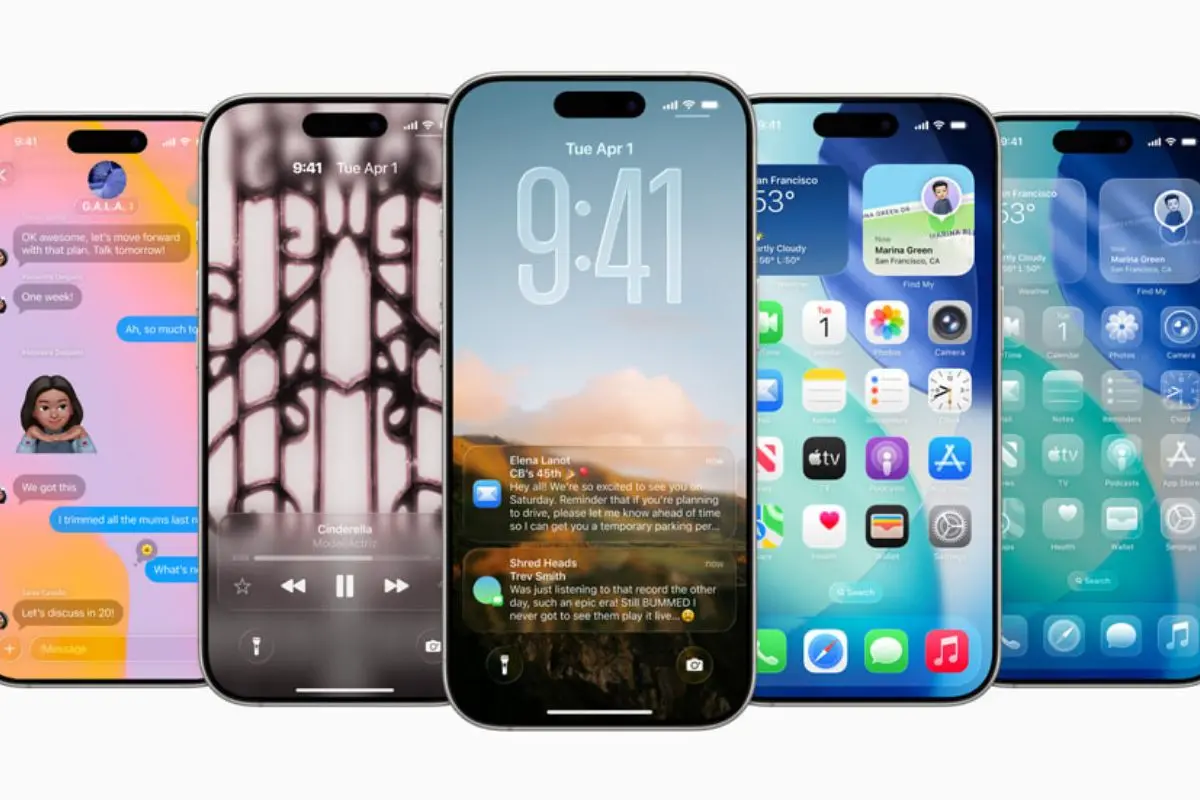
Apple’s latest iPhone software, iOS 26, may be drawing attention for its striking Liquid Glass design and refreshed icons, but tucked beneath the flashy aesthetics are a series of subtle, practical upgrades. These enhancements, though less headline-grabbing, are proving to be the real game-changers for everyday users.
Smarter text selection in Messages
A small but welcome addition is the ability to copy only part of a message. Instead of duplicating an entire text, users can long-press, select “Choose,” and highlight just the portion they need—ideal for extracting an address or link without unnecessary clutter.
Intelligent reminders with Siri
The Reminders app now benefits from enhanced Siri Suggestions. A recipe or instruction list saved from Safari or Apple News can be transformed into step-by-step tasks or shopping lists, saving time and manual entry.
More control over files
For the first time, iOS allows users to assign default apps for file types in the Files app. By tapping “Get Info,” owners can choose “Always Open With” for permanent settings or “Open With” for one-off actions.
Drafts in Messages
Messages now includes a Drafts folder so unsent texts are not lost. These appear in the Filters view and can be retrieved when the user is ready to finish and send.
Camera and photo upgrades
Photography receives subtle improvements too. Panorama shots are clearer, and the system warns if the lens is dirty—particularly helpful for iPhone 15 users and beyond. Video search is also refined, directing viewers to the exact moment where their search term appears. Event detection in Photos even surfaces relevant details such as music tracks or upcoming concert dates.
Easier ringtones and personalisation
Users can now craft custom ringtones directly from MP3 or M4A files under 30 seconds, no iTunes required. Selecting “Quick Look,” then sharing and pressing “Use as Ringtone,” instantly sets it. Home screens can also be tinted to match MagSafe case colours, offering a more personalised aesthetic.
Adaptive Power Mode
A new battery option that balances performance and efficiency. Unlike Low Power Mode, it reduces background activity intelligently without compromising smoothness.
Face Gesture Control
Found in Accessibility settings, Head Tracking and Face Gestures let users operate their iPhone with facial expressions, from smiles to raised eyebrows. Designed for accessibility, it also provides a novel, hands-free way to navigate.
Spatial Photos and Wallpapers
Regular images can be converted into immersive, tiltable 3D-style photos. Set as lock screen wallpapers, they bring an animated depth effect to everyday images.
Custom Ringtones Without iTunes
Beyond Files app support, users in Safari can now trim audio clips from online sources and set them directly as ringtones, a long-awaited option especially popular in India.
Liquid Glass with Reduced Transparency
For those who find the new transparent design distracting, Accessibility settings now include a “Reduce Transparency” toggle that makes interface elements sharper and more legible.
Everyday quality-of-life tweaks
Other improvements include:
- Swipe back from anywhere on the display, not just the edge.
- Callback reminders for missed calls with a quick swipe.
- AirPods audio can be locked to one device, preventing accidental switching.
From battery management to facial gestures, iOS 26 proves that it is often the understated features that truly change how people use their devices.