15 August AI photo trend: 4 ChatGPT prompts to create cinematic Independence Day portraits
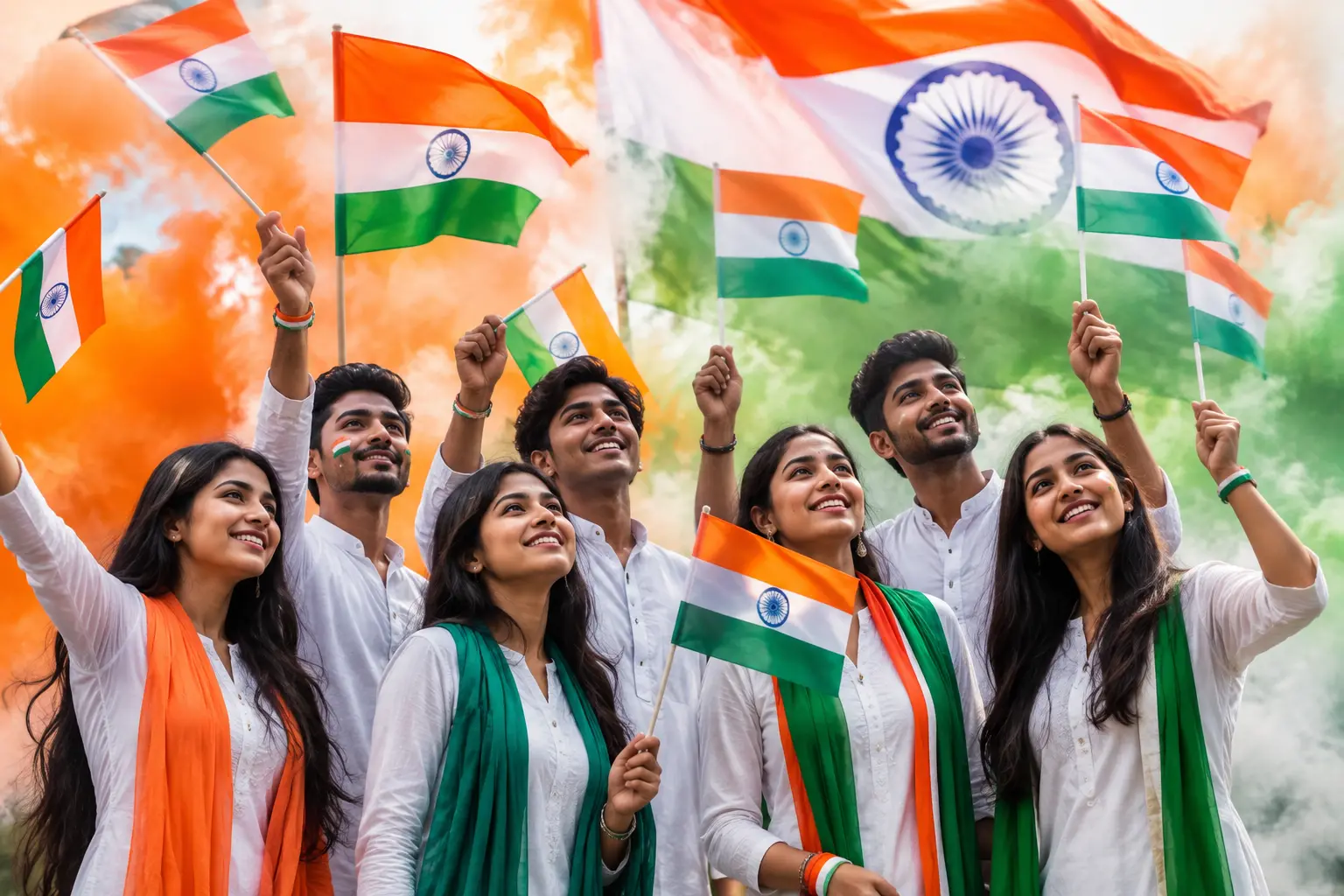
As India prepares to celebrate its 80th Independence Day on August 15, patriotic-themed AI portraits are emerging as a popular way for people to mark the occasion on social media.
From dramatic tricolour portraits and traditional kurta-pajama looks to cinematic flag backdrops, artificial intelligence tools such as ChatGPT can turn an ordinary photograph into an elaborate Independence Day-themed image.
Creating these pictures does not necessarily require professional photo-editing skills.
Users can upload a photograph to ChatGPT, provide a detailed prompt describing the desired outfit, lighting, background and patriotic elements, and ask the AI to generate or edit the image.
For people looking to create an Independence Day portrait while retaining their original appearance, prompts can also include detailed instructions asking the AI to preserve facial identity, hairstyle, skin tone and other distinguishing features.
However, users should remember that AI-generated images can sometimes alter facial details, so checking the final image carefully is important.
Here are four prompts that can be used to create different 15 August-themed AI portraits.
1. Tiranga-style portrait
- Upload the reference photograph.
- Use a prompt asking for an 8K ultra-realistic portrait of the same young Indian man with his face preserved.
- Add a well-groomed beard, stylish brown hair, glasses and a smartwatch, if these features match the reference.
- Wrap the subject in the Indian tricolour, with the saffron fabric partially covering the face for a dramatic effect.
- Use a dark black background and sharp focus on the eyes.
- Add cinematic lighting, realistic fabric texture and subtle patriotic elements.
- Ask for an emotional, mysterious and photorealistic finish.
Prompt:
'Create an 8K ultra-realistic patriotic portrait of the young Indian man from the uploaded reference image. Preserve his facial identity and natural appearance. Keep his well-groomed beard, stylish brown hair, glasses and smartwatch consistent with the reference. Wrap him naturally in the Indian tricolour, with saffron fabric partially covering the face to create a mysterious yet patriotic look. Use a deep black background, dramatic cinematic lighting and sharp focus on the eyes. Add realistic fabric texture, natural skin details, subtle shadows and premium colour grading. Photorealistic, ultra-detailed, emotional, cinematic and high-end portrait photography.'
2. Jai Hind Jai Bharat pose
- Upload the photograph you want to use as the facial reference.
- Ask ChatGPT to create a studio-style patriotic portrait while retaining the person's identity.
- Position the subject slightly facing backwards while looking towards the camera with a confident smile.
- Add the Indian tricolour wrapped around the subject.
- Use a deep black studio background.
- Add saffron and green smoke trails for a cinematic effect.
- Include the words 'JAI HIND JAI BHARAT' in saffron, white and green with subtle flag textures.
Prompt:
'Create a striking cinematic studio portrait of the same young Indian man from the uploaded reference image, preserving his facial identity and natural features. Wrap him in the Indian tricolour and position him facing slightly back towards the camera with a warm, confident smile. Use a deep black background with cinematic studio lighting. Add realistic saffron and green smoke trails around the subject and subtle Indian flag textures in the atmosphere. Include bold but elegant typography reading JAI HIND JAI BHARAT in saffron, white and green, integrated naturally into the composition without covering the face. Minimal, powerful, patriotic, photorealistic, and premium.'
3. 15 August portrait with white kurta-pajama
- Upload a clear reference photograph.
- Ask the AI to preserve the person's exact facial identity and natural appearance.
- Change only the outfit and background.
- Dress the subject in a premium white kurta-pajama.
- Add a glowing Ashoka Chakra behind the head like a halo.
- Place a majestic Indian flag in the background with realistic fabric movement.
- Add saffron, white and green smoke, cinematic god rays, floating dust particles and subtle sparks.
- Add '15 AUGUST' typography at the top without covering the face.
Prompt:
STRICT FACE IDENTITY LOCK: Preserve the exact face, hairstyle, skin tone, beard, facial features, and identity from the uploaded photo. Do not alter, beautify, age, or stylise the face. Change only the outfit and background.
Create a hyper-realistic 8K cinematic portrait of the same young Indian man in a premium white kurta-pajama, gazing slightly upward with pride. Add a waving Indian flag, glowing Ashoka Chakra halo, saffron-white-green lighting and smoke, cinematic god rays, floating dust and subtle sparks.
Use warm golden-hour lighting, HDR, natural skin texture, realistic hair, sharp focus, and premium colour grading. Add elegant '15 AUGUST' typography at the top without covering the face. No extra people, watermark or additional text.
4. Cinematic glow Independence Day portrait
- Upload the photograph you want to edit.
- Instruct ChatGPT to preserve the original person's identity, pose, outfit and accessories.
- Use a dark Independence Day night setting with subtle city silhouettes and bokeh lights.
- Add a softly waving Indian flag and faint glowing Ashoka Chakra in the background.
- Replace the existing rim light with saffron, white and green neon lighting.
- Add realistic tricolour smoke and volumetric light rays.
- Use a DSLR night-flash aesthetic with subtle film grain and low-light texture.
- Keep the final image photorealistic and cinematic without adding text.
Prompt:
STRICT FACE IDENTITY LOCK: Preserve the exact face, hairstyle, skin tone, beard, expression, pose, outfit and accessories from the uploaded photo. Do not alter, beautify, age or stylise the person.
Create a cinematic Independence Day night portrait with a dark background, subtle city lights, bokeh, tricolour smoke, a softly waving Indian flag and glowing Ashoka Chakra. Add realistic saffron, white and green rim lighting around the subject with soft volumetric rays.
Use premium DSLR flash, natural skin texture, cinematic contrast, subtle film grain, shallow depth of field and photorealistic 8K HDR quality. No extra people, text, logos or watermark.
How to create a 15 August AI photo in ChatGPT
- Open ChatGPT: Launch the ChatGPT app or website on your mobile phone or computer.
- Upload your photo: Tap the attachment option and upload a clear reference photograph.
- Paste the prompt: Add the selected prompt to the chat. You can customise details such as the outfit, background, lighting or pose.
- Generate the image: Send the prompt and wait for ChatGPT to process the request and create the portrait.
- Check the result: Once the image is generated, carefully check the face, clothing, background and other details to ensure they match your requirements.
- Save and share: Save the final image and share it on social media as part of your Independence Day celebrations.
- Use a clear photo: For better results, choose a well-lit reference image where the face is clearly visible.