Want to try Instagram’s viral AI lookbook trend? Here’s the prompt to use on ChatGPT and Gemini
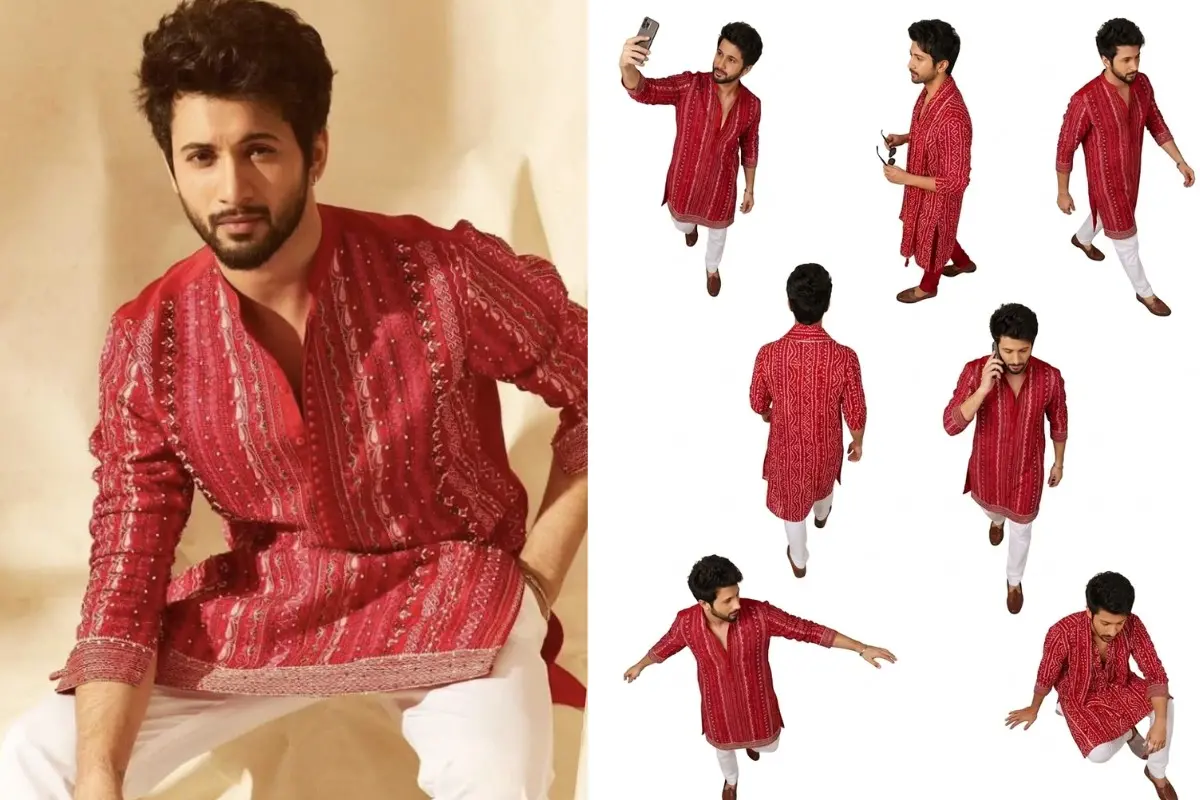
The latest AI photo trend taking over Instagram has people turning two outfit pictures into a fashion lookbook featuring seven versions of themselves. But does it work only with Instagram’s AI tools, or can you recreate the same effect using ChatGPT, Gemini and other AI image generators?
Here is how to try the viral AI lookbook trend yourself.
The AI lookbook trend transforms ordinary outfit photographs into a fashion-editorial collage. Instead of placing two existing pictures side by side, an AI image generator creates seven versions of the same person in different poses.
How to create the AI lookbook photo
You can try this trend using an AI image-generation or photo-editing tool that supports multiple reference images. ChatGPT, Gemini and other compatible tools may be options, depending on the image features available to you.
Step 1: Choose two outfit photos
Select two clear photographs of yourself, with each image showing a different outfit. These will serve as the references for the AI-generated lookbook.
For the best results, choose images in which your face, hair and clothing are clearly visible. Full-length photographs can be particularly useful because they give the AI tool more information about the outfit, including its shape, fit, colours and accessories.
Make sure both photographs show the same person.
Step 2: Open an AI image generator
Open an AI tool that allows you to upload reference photographs and generate or edit an image using written instructions.
Upload both outfit photographs to the same conversation or image-generation session.
Step 3: Copy and paste the prompt
Once both images have been uploaded, copy the prompt below into the text box.
Prompt:
Use two reference images of the same person, each showing a different outfit. Create an overhead fashion lookbook collage with 7 versions of this person: 4 wearing the outfit from [image 1] and 3 wearing the outfit from [image 2]. Keep each outfit identical to its source, and keep the same face, skin tone, hair, and identity in every figure. Only the outfit and pose change.
Camera: Shot from directly above, bird's-eye flatlay, on a seamless pure white background with no shadows. Full, rich colour, photorealistic, crisp details from above.
Layout: An imperfect, editorial scattered grid: 3 across the top, 2 in the middle, 2 near the bottom, with natural, dynamic spacing.
Poses (one per figure, candid and dynamic, seen from above):
Taking a phone selfie mid-walk.
Walking away, back view.
Side profile holding sunglasses.
Walking left, arms swinging.
Walking forward on a phone call.
Playful arm outstretched, head turned.
Sitting or crouching, looking down.
Vibe: Modern, editorial, minimal, cool. A full-colour brand lookbook shot from above on white.
Critical constraint: Use only subjects that exist in the reference images. Do not invent, add or hallucinate new subjects.
Step 4: Generate the image
Submit the prompt and wait for the tool to create the collage. If the first result does not follow the instructions, try generating it again. You can also ask the tool to correct specific problems, such as a changed face, an altered outfit or a figure that is missing from the composition.
Do not expect a perfect result every time. Even detailed prompts cannot guarantee that every garment, accessory, facial feature or body position will be reproduced precisely. Review the image carefully before posting it.
(Disclaimer: Use AI-generated images responsibly. Do not use another person’s photographs or likeness without their consent, or manipulate images to mislead, impersonate, harass or harm others.)